
Say more than a single heart
Instagram's like is one shape for love, awe, laughter, sympathy, and doubt. Pick the emoji that actually fits instead of pressing the same heart for all of it.

Instagram's like is one shape for love, awe, laughter, sympathy, and doubt. Pick the emoji that actually fits instead of pressing the same heart for all of it.
Instagram often hides how many likes a post has. A reaction strip gives you an emoji breakdown that stays visible instead of a number the app decided to withhold.
Web Reactions doesn't touch Instagram's like. Keep the heart for the feed and add emoji when the moment needs something more specific.
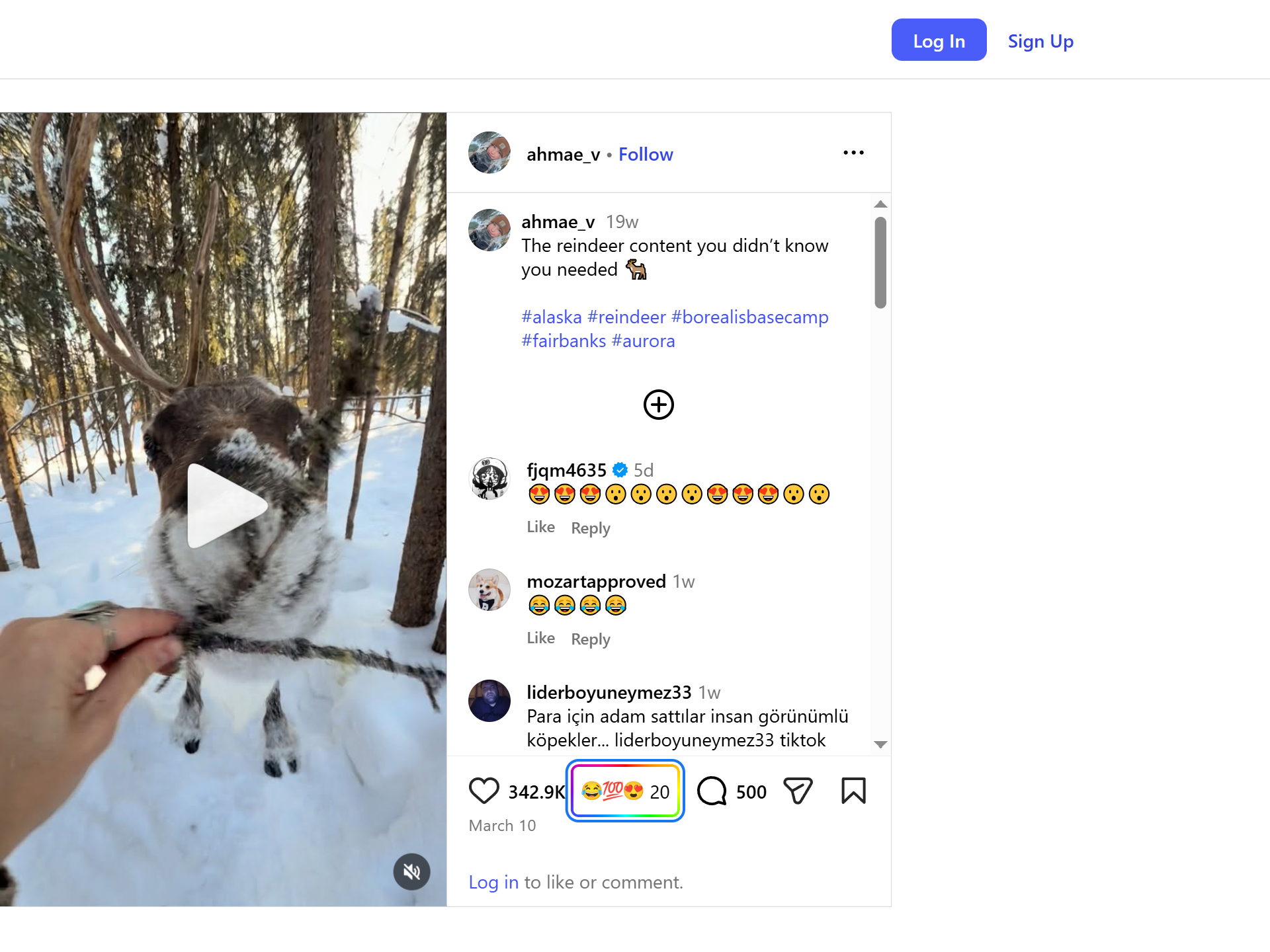
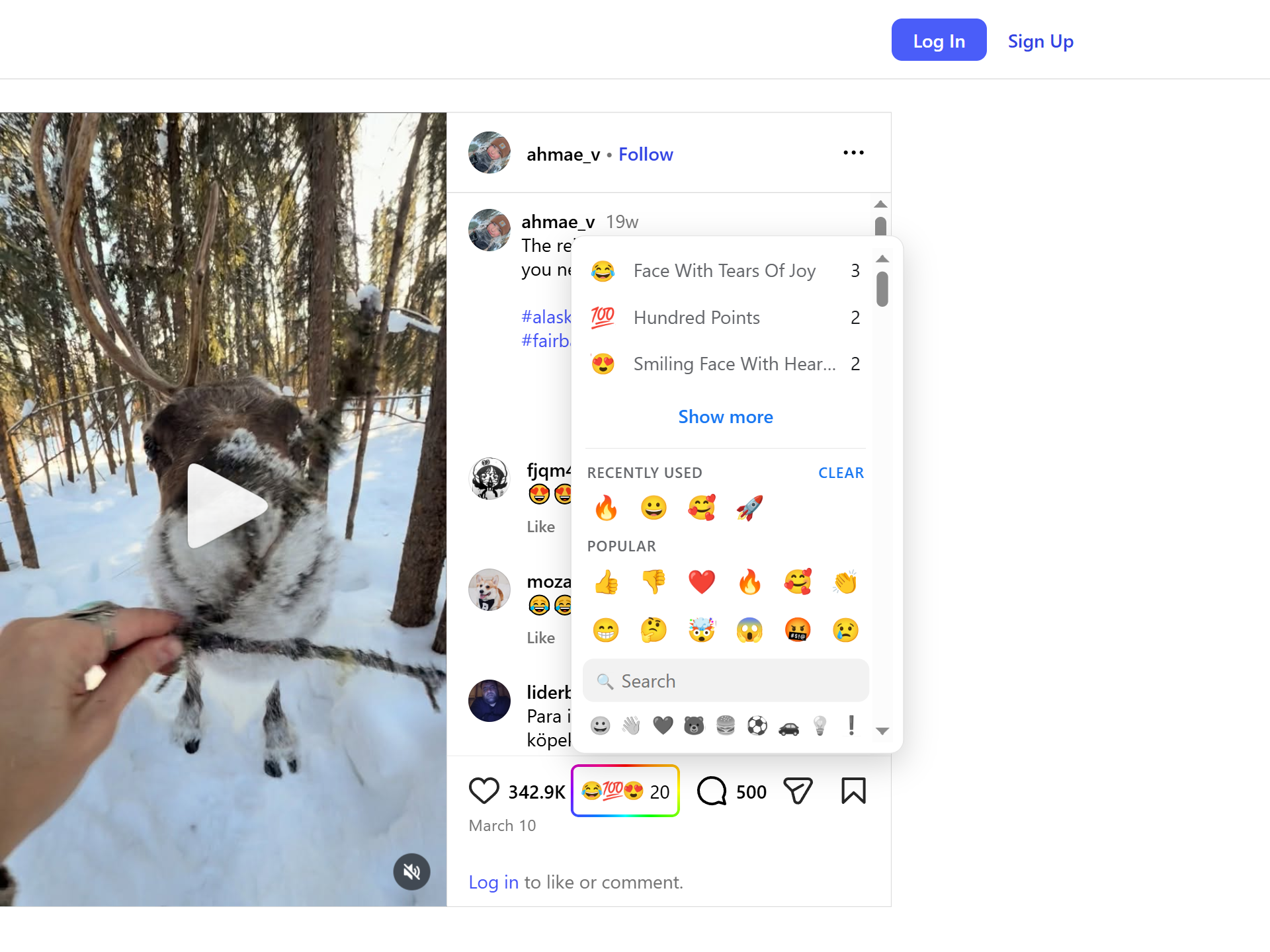
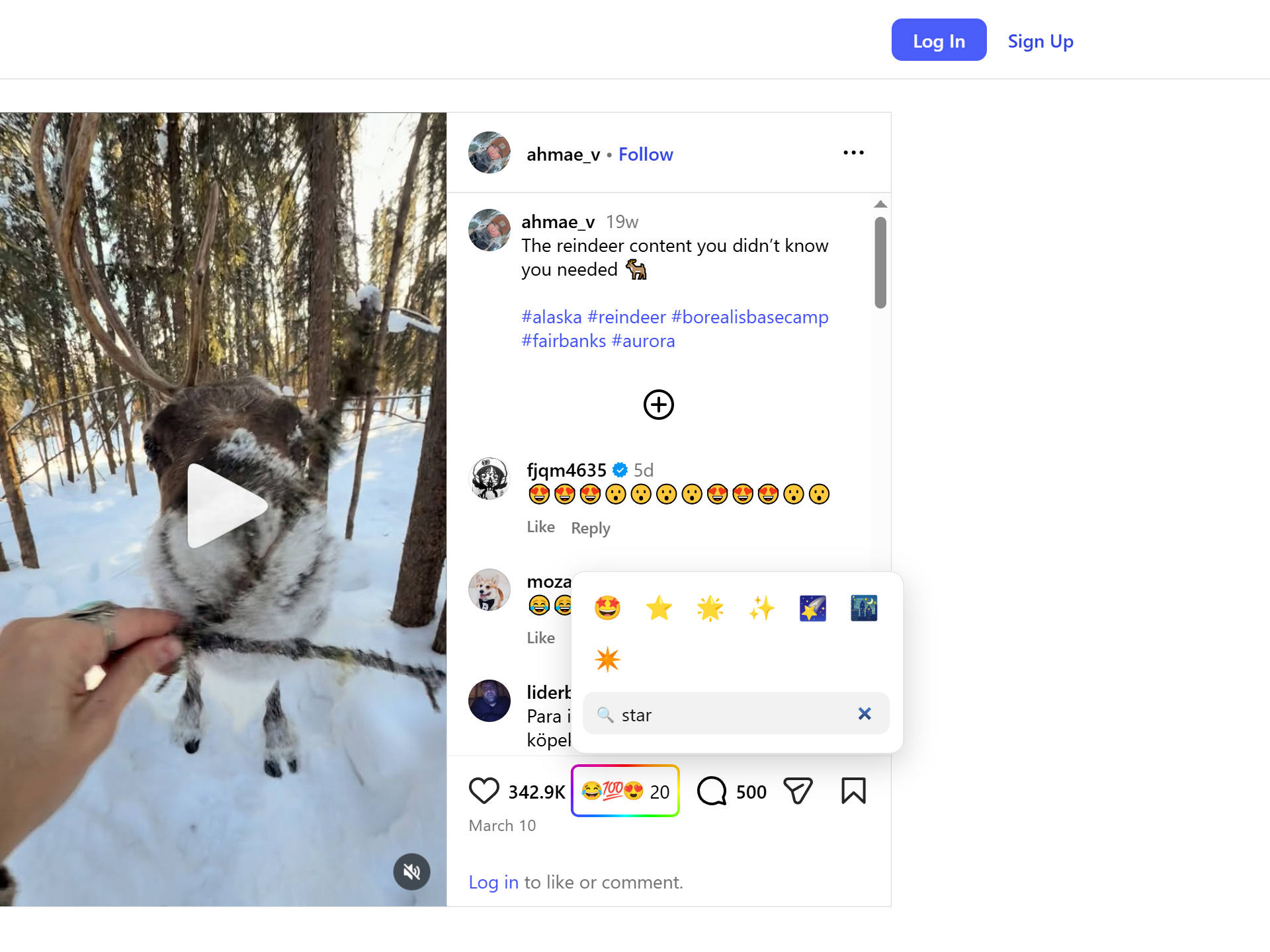
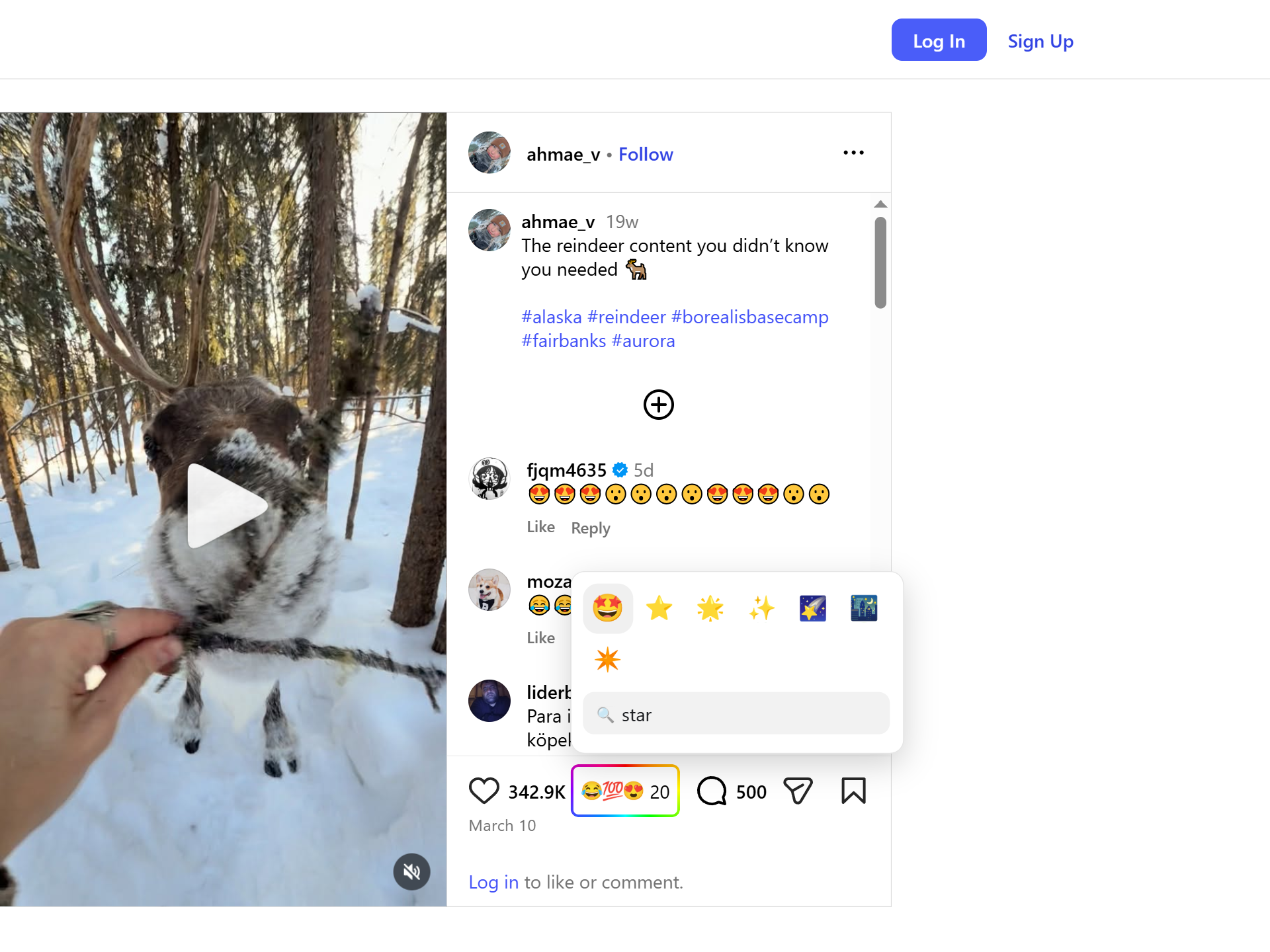
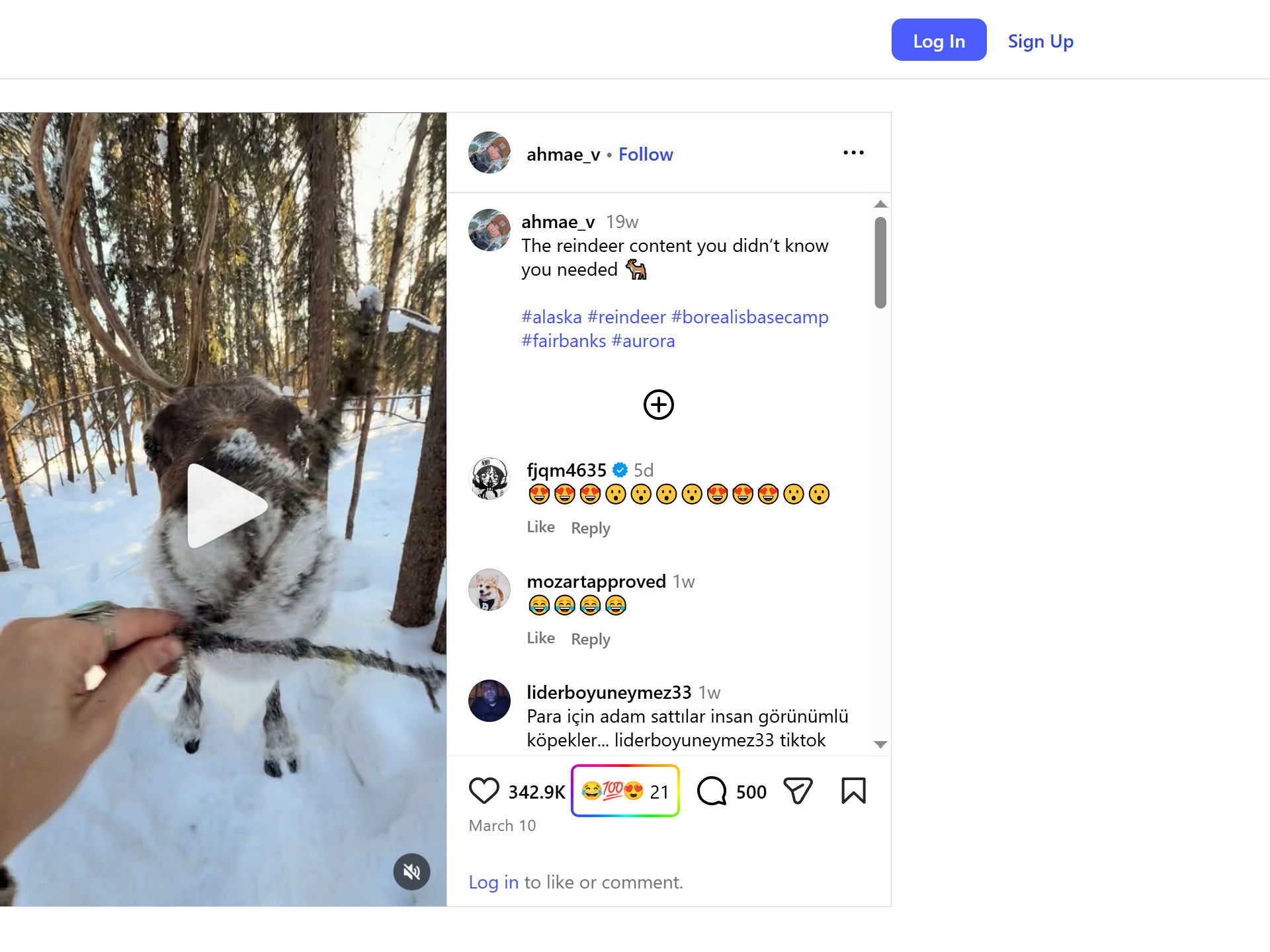
Instagram's heart is good at one job: showing that a post landed. But it forces every reaction through one shape. A like has to mean "this is beautiful", "this made me laugh", "this made me sad", and "I support this" all at once, and Instagram often hides the total on top of that.
Web Reactions keeps the heart intact and adds a second signal. Instead of compressing every response into one like, it lets people choose from the same searchable emoji palette used across supported sites.
The Instagram adapter targets public post and reel permalinks. A reaction belongs to the canonical post or reel URL, not to a story, a grid position, or a private page. If someone opens the same post or reel later, they see the same Web Reactions count beside the media.
Web Reactions sits near Instagram's like and comment controls. The trigger opens a searchable palette with reactions across smileys, gestures, hearts, symbols, objects, and more. Search works across the extension's supported emoji labels, so people who already know what they mean don't have to scroll the whole grid.
Anyone can read reaction counts without signing in to Web Reactions or Instagram. Leaving a reaction takes a one-time email verification, so the count is tied to verified Web Reactions accounts instead of throwaway profiles. The public page shows aggregates, and the counting model is documented on the counts page.
Reels use the same reaction model as feed posts. The picker is placed near the action row on both surfaces, so a reaction belongs to the thing you are watching or reading. The same emoji vocabulary carries from a photo post to a reel without changing how counts work.
Instagram hides its own like totals, but the Web Reactions count stays publicly readable — and reading it collects nothing from you and needs no login. A reaction is keyed to the post or reel's public permalink; it never likes, follows, or messages from your Instagram account, since it goes to Web Reactions instead. Leaving one takes a single email verification, only the aggregate is public, and posts from private accounts aren't counted.
Read the full privacy policy.
Install Web Reactions, open a public Instagram post or reel, and use emoji when a single heart isn't specific enough.
No. The like stays exactly as it is. Web Reactions adds a separate emoji layer beside it; the extension can hide supported native buttons locally if you prefer, but it never presses the heart for you.
No. Web Reactions is designed for public, addressable targets. Posts and reels from private accounts that an anonymous visitor cannot open are not eligible for public reaction counts.
Yes. Public posts and reels are both supported, and a reaction attaches to that item's canonical permalink so the count follows the media.
The same emoji reaction layer — one account, across every supported site.